The phone has the context. Siri needs the nerve to use it.
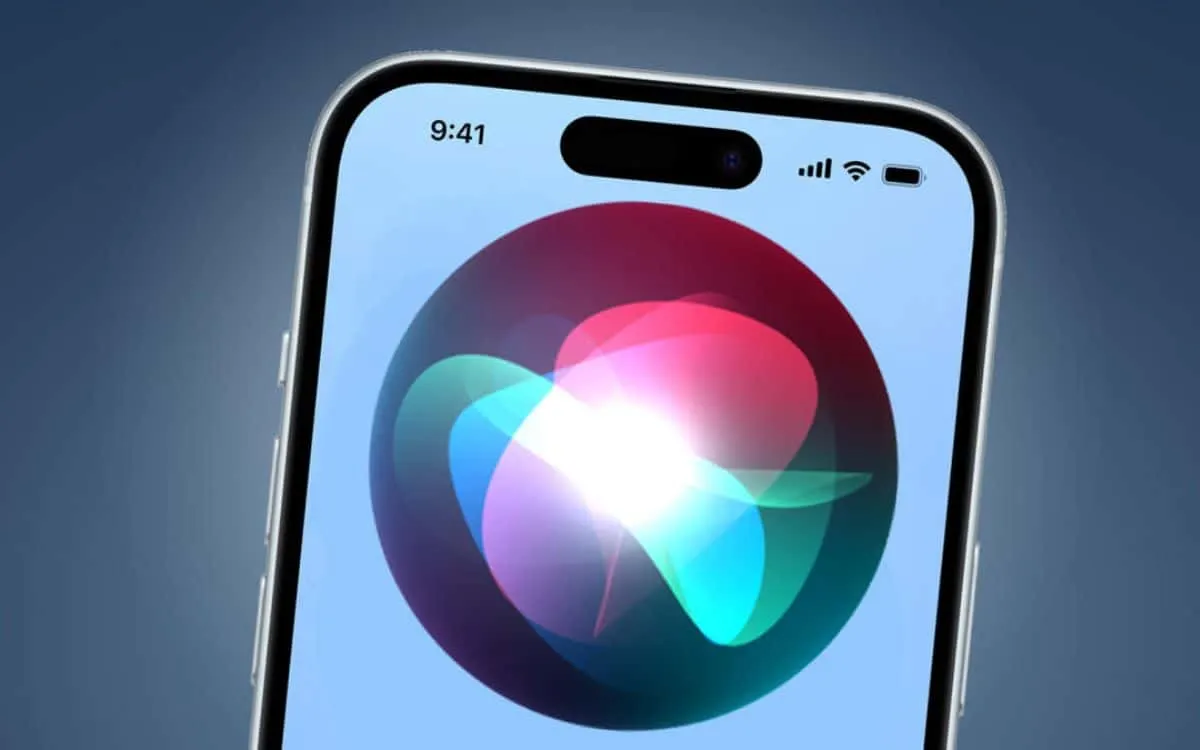
Image by tomsguide.fr
Oct 12, 2026 · Madkat Omega
The Assistant I Was Waiting For
The plan was simple. I would climb into the car, drop the phone into its mount, and start talking. Siri would already know my calendar, my contacts, my photos, and the text threads where half of my life gets negotiated. I would ask it to move an appointment, dig a confirmation code out of an airline email, and draft a reply to a group chat while my eyes stayed on the road. Somewhere in the background, an agent would keep grinding through the chores I never have time for.
That was the picture Apple painted for the iPhone 18 Pro Max, which went on sale on September 18 at $1,299. Siri AI, the rebuilt assistant inside iOS 27, shipped four days earlier. Apple’s own spec page calls it an entirely new version of Siri, more personal, conversational, and powerful. Under the hood, a component Apple calls the System Orchestrator decides whether each request runs on the phone’s own models or travels to Private Cloud Compute, the sealed server environment where Apple deletes a request once it has been answered.
The launch came with an asterisk. Siri AI arrived labeled as a beta, in English only, and behind a waiting list that people had to join from Settings before the new assistant would switch on. It runs on the iPhone 15 Pro and later. Buyers of a $1,299 phone were, in effect, asked to treat its headline feature as a work in progress.
The first reviews split down the middle. David Pogue, the veteran tech columnist, ran Siri AI through 125 prompts and called it a phone changer; by one count it handled roughly 110 of them cleanly. Within a week, though, users had sorted their frustrations into five piles: a vague error that says something went wrong, searches that cannot find a Reminders list or a set alarm, requests that suddenly demand an unlocked phone, slower answers to basic commands, and old abilities, such as questions about Health data, that simply disappeared. Federico Viticci, who has reviewed every major iOS release for MacStories for more than a decade, concluded that Siri AI is best at quick exchanges with a follow-up or two, and that it was never built to carry a long task through to the end.
Pogue and Viticci are describing the same product from opposite ends. It is a far better Siri. It is also a long way from the assistant the rest of the industry spent the summer shipping. xAI released Grok Bot on August 11, an agent with its own cloud computer that keeps working after you close your laptop, and Nous Research answered three days later with Bot Mode for its open-source Hermes Agent. Meta launched Muse on September 8 as an agent that can send email, book travel, and shop on your behalf. OpenAI followed with Dots, always-on agents that each get a cloud computer and work toward your goals around the clock. Google’s entry, Gemini Spark, handles ongoing tasks across Google’s apps.
Apple holds a hand none of those companies can match: the phone itself, the silicon inside it, and the most personal data most of us own. Siri AI’s problems live in the machinery wrapped around its models. That machinery decides how a request gets routed, what Siri is allowed to touch, which tools it can reach, what it remembers, and what it leaves behind. Apple builds every one of those layers, which means it can fix every one of them. Five fixes would make the biggest difference.
Fix One: Give the Orchestrator Fast, Honest Judgment
Every Siri request starts with a dispatch decision. The System Orchestrator has to work out what you meant, then pick a destination: the phone’s own models, an app action, or Apple’s servers. Apple ships capable hardware for the local half of that choice. Its third-generation on-device models include AFM 3 Core, a dense model of 3 billion parameters, and AFM 3 Core Advanced, a 20-billion-parameter model that wakes only the 1 to 4 billion parameters a given request needs.
The cloud side has tiers of its own. AFM 3 Cloud handles most server requests, while AFM 3 Cloud Pro, Apple’s most capable server model, takes on agentic tool use and complex reasoning from inside a version of Private Cloud Compute that runs on Google’s cloud infrastructure and Nvidia hardware. Counting app actions, the orchestrator chooses among as many as five destinations for every request, and each wrong choice costs the user time.
The trouble shows up in the decisions. Users report that much of Siri AI’s work now runs through Private Cloud Compute, so a weak connection slows even basic requests like sending a message or checking notifications, and simple commands on an Apple Watch can take several seconds. When the round trip fails, Siri tends to answer with a generic error. Viticci noticed that a question asked by voice would sometimes fail, while the same question typed into the Siri app moments later went through fine. The cost of a bad call has also gone up. Apple applies daily usage limits to Siri AI and other features that rely on server models, with expanded access promised for a fee, so every needless trip to the cloud spends an allowance the user may want later.
Judgment is the other half. Jason Cross, a senior editor at Macworld, asked Siri AI what time the temperature would fall below 80 degrees. It recognized a weather question, showed an hourly forecast, and then answered a different question from the one he asked. That gap between hearing the words and grasping the task is what makes users rephrase, retry, and eventually stop asking.
A new class of model is built for exactly this kind of split-second call. On September 15, TypeSafe AI came out of two years in stealth with Jev, which it calls a System One model. The name borrows from the psychologist Daniel Kahneman, whose book Thinking, Fast and Slow describes a quick, intuitive System 1 and a slow, deliberate System 2. Jev plays the quick role. It writes no prose at all; an application hands it the current state and a few typed questions, and Jev returns a choice, a score, or a yes-or-no probability, each with a confidence attached.
That confidence is the important part. TypeSafe trains Jev with a method it calls Reinforcement Learning for Calibrated Decisions, which pushes the model’s stated probabilities to match how often it turns out to be right. A calibrated 80 percent should be correct about four times in five, and software can safely branch on a number like that. Developers have noticed the fit. Armin Ronacher, the chief technology officer of Earendil and a developer of the open-source Pi model harness, has said Jev’s probability scores could be useful for model routing. TypeSafe’s own workflow tests claim Jev runs 193.6 times faster and 444.6 times cheaper than frontier models on decision tasks, and the company itself advises stricter confidence thresholds for irreversible actions than for harmless ones.
Jev itself is a hosted service, and its maker has published neither weights nor a technical paper, so the lesson for Apple is the design rather than the product. Apple should place a calibrated decision model of its own in front of the System Orchestrator and run it on the Neural Engine. In a single pass it would answer four questions about each request: where it should run, how much harm a mistake would cause, whether it needs fresh knowledge from the outside world, and how sure the model is about all three. Plain code then applies the rule. If the confidence clears the bar set for that level of risk, the request stays on the phone; if it falls short, it goes up to the cloud.
Two habits should come with it. Commands that worked offline for a decade, such as timers, music changes, and texts to a known contact, should stay on the device unless something about them truly needs the cloud. And when a request fails, Siri should say why. Many of the vague errors users hit appear to stem from VPNs and network settings blocking the connection to Siri’s servers. A spoken sentence naming the network as the culprit would have saved a lot of people from deciding the assistant was broken.
Fix Two: Replace Refusals With Risk Tiers
Siri AI says no in ways that feel arbitrary, and the pattern is easy to trace. The new Siri requires an unlocked phone for many requests even when the setting to allow Siri while locked is switched on. Whenever it reaches into the semantic index of your personal content, the request fails on a locked device, so a command as ordinary as sending a message to a named contact breaks in exactly the places people rely on it most: in the car and through AirPods.
The walls go further than the lock screen. Siri AI can take a snapshot of what is on your display, but Viticci found that it cannot operate an app’s interface on your behalf, and anything outside its library of approved app actions earns a flat statement that it cannot help. During the summer beta, Apple added an instruction telling Siri AI to refuse outright when asked to summarize the contents of a web address. Cross hit a subtler version of the same wall when Siri AI could not make a wallpaper from one of his photos, a job Apple’s own Image Playground app handled without complaint.
Even Apple’s own apps are uneven. Viticci found both the personal index and Siri’s ability to act inside Apple’s apps inconsistent. He could ask Siri to play a song, yet most of the rich metadata in the Music app stayed hidden from it, even though the same information is available to AppleScript, the scripting language Mac power users have relied on for three decades.
Some of this caution protects people. Personal data on an iPhone is encrypted while the device is locked, and an assistant that reads your messages to anyone holding your phone would be a disaster. What frustrates users is that Siri treats every boundary the same way. Reading an order confirmation and wiring money run into one undifferentiated barrier, and the answer to both is often no.
Apple should sort every action by its blast radius, meaning how much damage it would do if Siri got it wrong, and let that ranking set the friction.
The lowest tier covers reading: finding a message, checking an order, looking up a calendar slot, or summarizing a web page. Nothing changes and nothing leaves your control, so once Siri knows it is talking to you, it should simply act. For a locked phone in a car mount, a Face ID glance is enough proof. For a phone in a pocket, Apple could let people choose a short list of read-only personal questions that work when the iPhone is connected to their own car or their own paired AirPods.
The middle tier covers reversible changes: setting a timer, adding a reminder, drafting a note, or switching a Focus mode. Siri should do these immediately and leave an Undo button in the Dynamic Island for a few seconds. Asking permission to write a draft wastes everyone’s time, while a quick undo keeps the user in charge.
The top tier covers anything that cannot be taken back: sending money, deleting files, emailing someone new, or posting in public. Here Siri should prepare the action, show exactly what it is about to do, and wait for a Face ID confirmation inside the same conversation. The request never gets refused up front, and nothing happens without the owner’s face.
Apple has already built pieces of this. Siri AI asks for confirmation before sensitive actions such as placing a call. In iOS 27, developers can mark app data as shared or public through a new interface called OwnershipProvidingEntity, and the system then prompts for confirmation, with context, before Siri acts on it. Combined with the calibrated risk score from the first fix, those parts add up to a permission system that matches the stakes of each request. It would let Siri say yes far more often, and make each remaining no mean something.
Fix Three: Open the Toolbox and Let Siri Work in the Background
Viticci put the gap plainly in his iOS 27 review. Siri AI cannot carry a long-running task through to completion, and he wrote that comparing it with ChatGPT Work, Claude Cowork, Grok Bot, Hermes Agent, or OpenClaw would be downright absurd. He also noted that Apple seems to believe it now has a foundation for agentic behavior at some point. The industry is not waiting for that point.
The rival agents share a common design. Muse runs inside its own secure virtual machine, a dedicated cloud computer with a browser, so it keeps working after you leave the app. Each OpenAI dot also gets its own cloud computer and reaches more than 4,000 apps through plugins. Tellingly, OpenAI lets a dot gather information with read-only tools while it is idle but blocks it from sending messages or changing anything in your apps, a version of the risk tiers described above.
Siri AI’s reach, by contrast, stops wherever an app’s developer has stopped. Pogue found that Siri AI could not hail an Uber or send a Venmo payment, because each third-party app has to build its own support for the new system and those two had not. The old Siri could at least hail a ride; the new one opens the Uber app and leaves the rest to you.
The fastest way past that bottleneck already exists. The Model Context Protocol, usually shortened to MCP, is an open standard that Anthropic introduced in 2024 and that OpenAI and Google have since adopted. A company that runs an MCP server describes its tools once, and any compatible assistant can discover and call them. Apple has been laying groundwork here for a year; code in the iOS 26.1 betas showed MCP being wired into App Intents, the framework apps use to expose actions to Siri. Apple should turn that groundwork into a headline consumer feature, so that connecting Siri to a home automation server, a work tracker, or a favorite service takes a few taps rather than a native app update.
The same logic applies to outside models. Bloomberg reported that Apple built a framework called Extensions that lets installed AI apps such as Claude and Gemini power Siri, Writing Tools, and Image Playground. The support turned up in the iOS 27 developer beta, yet Apple left it out of its keynote entirely. Meanwhile, users who relied on the old shortcut of starting a request with the words Use ChatGPT lost that ability. Apple should ship Extensions and let people set lasting preferences, such as sending every coding question to one model and every research question to another, without a permission prompt each time.
Tools alone will not make Siri an agent. It also needs to keep working after the conversation ends. Here, too, Apple has done half the work. iOS 27 introduced LongRunningIntent, which lets an app action run past the system’s 30-second background limit as long as it keeps reporting progress, and the Lock Screen shows that progress as a Live Activity with a button to stop it. Apple demonstrated the feature rescuing a photo upload that kept dying inside the old time limit.
Siri should run its own chores on that same machinery. Picture that drive again. You ask Siri to find a cheaper flight for next month’s trip, compare it against your calendar, and hold the best option. Siri confirms the task in a sentence and lets the conversation go. The work continues in the background, a progress bar sits on the Lock Screen, and when the moment arrives to actually pay, Siri asks for Face ID under the top-tier rule.
Apple can also offer something its rivals cannot. It has already extended Private Cloud Compute to Google’s servers running Nvidia hardware while keeping its core promises: stateless computation, no privileged access for staff, and code open to outside researchers. An agent session that runs under those same promises would give people the background help Muse and Dots provide, without parking their digital lives on a rented computer in someone else’s data center.
Fix Four: Give Siri a Working Memory
Siri AI has made real progress on continuity. In older versions, a second question wiped out the first, and an interruption meant starting over. Siri now has its own app where research threads stay open through the day, and a new developer interface called SyncableEntity lets Siri hand a conversation from an iPhone to a Mac without losing track of what was being discussed. The personal index is impressive too. Cross asked about his plans for his wife’s birthday, and Siri AI worked out who his wife was, pulled the details from several text threads, then answered follow-ups about the reservation email and the drive time.
The limits arrive quickly after that. Viticci found Siri AI best at quick, one-off interactions with a couple of follow-ups and nothing much longer. He also found its general world knowledge two to three weeks stale in places. Apple appears to have chosen some of this deliberately. Before launch, Bloomberg’s Mark Gurman reported that Apple would place tighter limits on memory than rival chatbots do, restricting what information can persist and for how long.
That restraint would be easier to accept if Apple applied it consistently. Meanwhile, Siri AI keeps a complete transcript of nearly everything you ask, forever by default. So the assistant hoards the raw record of your requests while holding on to very little of what would make it useful. Apple has the priorities inverted. Memory worth keeping is small, structured, and in the user’s hands, while raw transcripts should fade quickly.
Three changes would close the gap. The most basic is a working session for each task, one that holds its thread together: the people and places involved, the tools in use, and the model that has been handling it. That session should persist until the task is finished or the user clearly moves on. A follow-up to a question that Private Cloud Compute answered should stay in the cloud, instead of dropping back to the small on-device model that never saw the earlier reasoning.
Siri should also keep a short list of standing facts that the user has confirmed, such as who counts as family, which airline they prefer, and which address means home. That list belongs in Settings, where people can read it, correct it, and delete any line, much as the Passwords app makes stored credentials visible and manageable.
Freshness, finally, should be a routing decision. When a question depends on recent events, the decision model from the first fix should flag it and send the request to live retrieval, so stale knowledge is never served with confidence. An assistant that remembers the right things and checks the news before answering would feel continuous across a day, which is what people mean when they ask for a personal assistant.
Fix Five: Lock Down the Paper Trail
Apple engineered Private Cloud Compute to forget. A request goes up with only the data needed to answer it, and after the answer comes back, the request and its data are deleted. Apple even publishes the server software for outside researchers to inspect.
The phone in your pocket follows a different philosophy. By default, the new Siri app keeps a permanent archive of everything you ask it, and it also logs nearly everything you ask Siri outside the app. There is currently no switch to stop those outside requests from being recorded. The only retention choices are 30 days, one year, or forever, and the history syncs through iCloud to every device you own. One Tom’s Guide writer described scrolling back through a neatly archived list of late-night curiosities and half-formed thoughts, and concluded that Apple had turned a once-ephemeral assistant into a permanent diary.
A second record sits in Privacy and Security settings. The Apple Intelligence Report can capture the last 15 minutes or the last 7 days of AI activity, and Apple’s own description warns that it may include personal data such as messages and text you entered into writing tools. The report exports as a JSON file that the user can save anywhere. Howard Oakley, a developer who has written about Mac internals for years on The Eclectic Light Company blog, has dissected these reports in detail. He found that the portions describing requests sent to Private Cloud Compute are largely Base64-encoded, so the report reveals little about what actually left the device while still bundling up as much as a week of personal context. A transparency tool that is hard to read and easy to export gets the trade-off backward.
None of this requires a breach to cause harm. A phone handed over unlocked to a coworker, a partner, or an official at a border crossing exposes everything the Siri app has saved, and if the Apple Intelligence Report is switched on, anyone with that brief access can export it in a few taps. The more an assistant knows, the more its history is worth to someone who should not have it.
Apple can fix this with settings it already knows how to build. The Siri history should default to 30 days, offer a window as short as a day, and include a separate switch to stop recording requests made outside the Siri app. Opening that history, and viewing or exporting the Apple Intelligence Report, should require Face ID, the same gate that already guards the Passwords app. Both records should live in Apple’s strictest file protection class, which keeps data unreadable whenever the phone is locked, and the settings screen should state in plain language whether the synced history is end-to-end encrypted.
The report itself should become what its name promises: a readable account of which requests stayed on the phone, which went to Apple’s servers, what data traveled with them, and what came back. Exports should be encrypted by default. Gurman reported that Apple planned to market its auto-delete options as a privacy advantage over rival chatbots. The defaults should live up to that message.
The Phone Is the Advantage
The usual scorecard for the AI race counts parameters, data centers, and benchmark wins, and by that measure Apple looks late. Pogue’s testing points to a different scorecard. The category where Siri AI shone brightest was questions about the user’s own life: the loyalty number buried in an old text, the apartment number for a party, the details of a past trip. Meta, OpenAI, and xAI each rent their agents a computer in a data center and then ask users to connect their accounts so those agents can approximate that kind of knowledge. Apple already has it, on hardware it designed, protected by encryption it controls.
What Apple lacks is the connective tissue. A calibrated judge at the front door would make Siri fast and decisive. Risk tiers would let it say yes when yes is safe. Open tools and background work would let it carry a job all the way to the end. A small, visible memory would let it follow a task across a day. And a paper trail kept short and locked would let people hand it all of that without flinching. None of these fixes calls for a scientific breakthrough or a trillion-parameter model. Each one is disciplined systems engineering, the kind of work Apple built its reputation on.
Apple has also shown it is willing to rebuild. It replaced Siri’s entire foundation this year and told everyone the result was still a beta. The next rebuild is smaller and more important, because it decides whether people trust the assistant enough to stop double-checking it.
Somewhere out there is the drive I imagined: the phone in its mount, a few spoken sentences, and an errand that finishes itself before the exit ramp. The iPhone 18 Pro Max already has the silicon, the personal context, and the private cloud to make that drive ordinary. It needs Siri to act like it knows.
Sources
Apple, iPhone 18, and Siri AI
- Apple, “iPhone 18 Pro Max Tech Specs,” Apple Support, 2026. support.apple.com
- Apple, “About the security content of iOS 27 and iPadOS 27,” Apple Support, released September 14, 2026. support.apple.com
- Tom’s Guide, “iPhone 18 Pro and iPhone 18 Pro Max are official,” September 2026. tomsguide.com
- Jason Cross, “How much Gemini is really inside Siri AI?” Macworld, June 11, 2026. macworld.com
- Jason Cross, “Siri AI is both impressive and disappointing,” Macworld, June 17, 2026. macworld.com
- AppleWorld.Today via MacTech, “There will be a daily usage limit for Siri AI,” September 10, 2026. mactech.com
- Chris Hauk, “iOS 27 to Offer Dedicated Siri App With Auto-Delete for Chats,” MacTrast, May 2026. mactrast.com
- BGR, “How Long Does The New Siri AI Take To Activate On iOS 27?” September 2026. bgr.com
- Somatirtha, “Siri AI on iPhone 18 Pro: Here’s How You Can Leverage It,” Analytics Insight, September 2026. analyticsinsight.net
Reviews and user reports
- 9to5Mac, “Here are 100+ things Siri AI can do on your iPhone,” September 17, 2026. 9to5mac.com
- iThinkDiff, “Siri AI Passed 110 of 125 Real-World Tests From a Veteran Tech Reviewer,” September 2026. ithinkdiff.com
- MacGeneration, “À travers ces 125 tests, découvrez un aperçu de ce que Siri AI peut faire,” October 2026. macg.co
- iPhon.fr, “Siri AI passe son premier grand test,” 2026. iphon.fr
- Absenta Mia, “Five ways the new Siri AI is frustrating iPhone and Apple Watch users,” SecNews, September 21, 2026. secnews.gr
- 9to5Mac, “Federico Viticci on iOS 27: It’s good to see Apple sweat the details again,” September 2026. 9to5mac.com
- Federico Viticci, “iOS and iPadOS 27: The MacStories Review,” MacStories, September 2026. macstories.net
- Michael Tsai, “Siri AI Beta,” Michael Tsai’s blog, July 20, 2026. mjtsai.com
- Tom’s Guide, “Siri in iOS 27 actually lives up to the hype,” 2026. tomsguide.com
- Apfelpatient, “Siri AI should clearly reject URL summaries,” June 2026. apfelpatient.de
Decision models
- RITS at NYU Shanghai, “TypeSafe AI Launches Jev, a Model That Returns Decisions, Not Text,” September 2026. rits.shanghai.nyu.edu
- The Arabian Post, “TypeSafe unveils decision-focused AI model Jev,” September 2026. thearabianpost.com
- FreeAPIHub, “Jev AI: What Is It and How Does the Jev AI Model Work?” September 2026. freeapihub.com
- Ecosistema Startup, “Jev: el decision model de TypeSafe que cuesta 444x menos,” September 2026. ecosistemastartup.com
- Daniel Kahneman, Thinking, Fast and Slow, Farrar, Straus and Giroux, 2011. us.macmillan.com
Tools, extensions, and background work
- AppleInsider, “iOS 26 could get a major AI boost with the Model Context Protocol,” September 22, 2025. appleinsider.com
- 9to5Mac, “iOS 27 will let you choose between Gemini, Claude, and more for AI features: report,” May 5, 2026. 9to5mac.com
- The Next Web, “Why Apple built a third-party AI system for Siri and then refused to show it at WWDC,” June 2026. thenextweb.com
- Blake Crosley, “App Intents in iOS 27: Background, Sync, Spotlight,” June 8, 2026. blakecrosley.com
Rival agents
- Towards AI, “Grok Bot vs Hermes Agent: Which Always-On AI Worker Should You Trust?” 2026. pub.towardsai.net
- Philipp Acsany, “What Is Meta Muse? A Plain-English Guide to Meta’s New AI,” Real Python, 2026. realpython.com
- Tom’s Guide, “Meta Muse vs ChatGPT Dots,” 2026. tomsguide.com
- iPhone in Canada, “OpenAI Dots Take on Meta Muse and Grok Bot With 24/7 AI Agents,” September 29, 2026. iphoneincanada.ca
- Every, “Dot vs. Gemini Spark vs. Grok Bot vs. Hermes Agent vs. Instinct vs. Muse vs. OpenClaw vs. Poke,” 2026. every.to
Privacy and the Siri paper trail
- iDownloadBlog, “How to stop Siri AI from keeping your conversations forever,” 2026. idownloadblog.com
- Tom’s Guide, “The new Siri app in iOS 27 is keeping receipts on everything you ask,” 2026. tomsguide.com
- Michael Tsai, “Apple Intelligence Reports,” Michael Tsai’s blog, October 2, 2026. mjtsai.com
- TidBITS, “See the Behind-the-Scenes Prompts That Power Siri AI,” 2026. tidbits.com
- Howard Oakley, “Browse Apple Intelligence Reports with AIRer, a new app,” The Eclectic Light Company, October 1, 2026. eclecticlight.co