Valve’s living-room console is finally real. After a false start in 2015 and a decade of Steam Deck groundwork, the Steam Machine shipped on June 30, 2026, as a compact, first-party cube that plugs into a TV and plays the Steam library through a controller. It runs SteamOS, the same Linux-based system that powers the Deck, and Valve is selling it through a randomized reservation queue rather than a normal storefront launch.
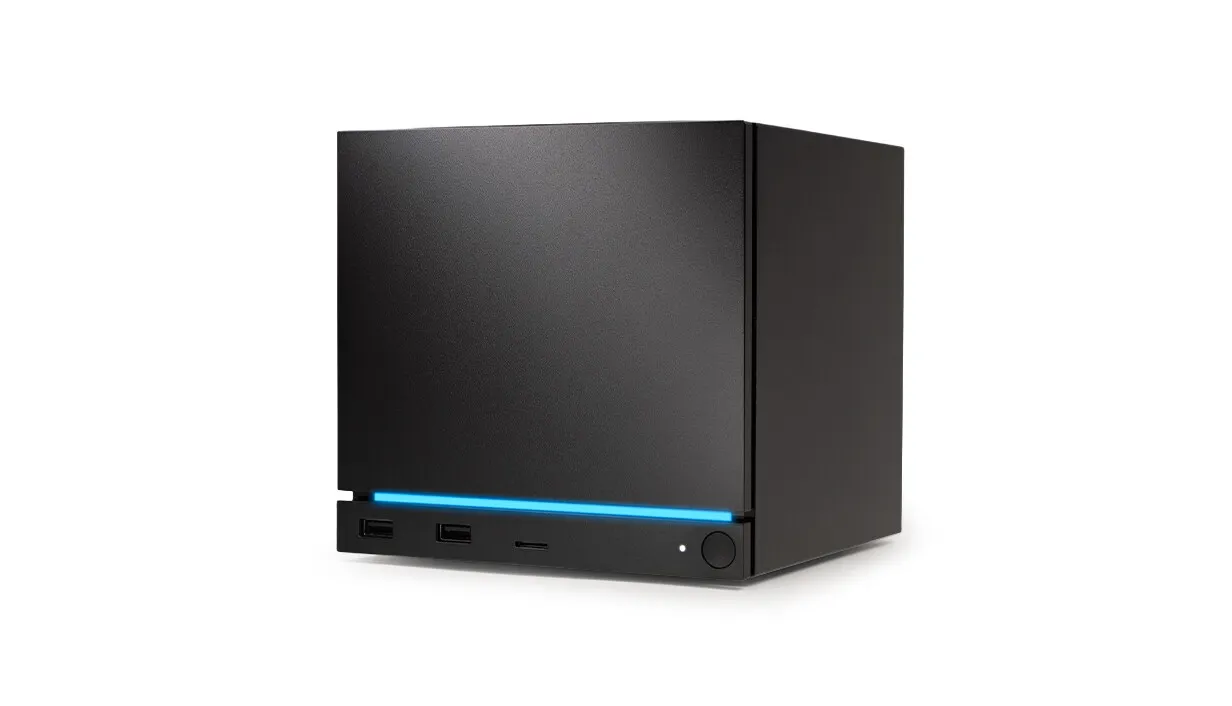
The $1049 Steam Machine by Valve — Image from steampowered.com
The base 512GB model costs $1,049. Add the redesigned Steam Controller and it’s $1,128. A 2TB model runs $1,349, or $1,428 bundled with the controller and two swappable faceplates. Under the hood sits a semi-custom AMD Zen 4 CPU with six cores and twelve threads, clocked up to 4.8GHz at a 30-watt budget, paired with a semi-custom RDNA 3 GPU running 28 compute units at a sustained 2.45GHz and 110 watts. That GPU gets its own dedicated 8GB of GDDR6 video memory, separate from the 16GB of system DDR5 — a genuinely desktop-like split rather than a single shared memory pool. Valve is targeting 4K at 60 frames per second through FSR upscaling, with native 1080p as the more realistic baseline for demanding titles.
Valve has been candid about why the price landed where it did. A global memory and storage shortage — driven largely by AI data centers buying up DRAM and NAND — pushed component costs up across the entire PC industry in 2025 and 2026, and Valve chose to price the Steam Machine like PC hardware rather than subsidize it the way Sony and Microsoft subsidize consoles.
That same shortage left a mark inside the box. The two DDR5 memory slots aren’t both populated the way most desktops ship: many units are going out with a single 16GB SO-DIMM in one slot rather than two matched 8GB sticks, running system memory in single-channel mode at roughly half the bandwidth of a proper dual-channel setup. Valve engineers told Digital Foundry and Gamers Nexus the cause was supply, not design — 8GB SO-DIMMs became essentially impossible to source during the shortage, and which configuration a given unit ships with comes down to whatever memory was available that week. Post-launch benchmarking backs up that the compromise is real: differences between single- and dual-channel units were small to negligible in most GPU-bound games, but ran 10 to 20 percent in CPU-heavy scenes. Filling the second slot fixes it, but the SO-DIMM slots sit underneath the main heatsink, so it means a real teardown rather than popping a side panel. Worth being precise about the mechanism, too — the GPU’s 8GB of GDDR6 is a separate, dedicated chip, not memory borrowed from that 16GB system pool. The bandwidth compromise is specific to the CPU side of the machine.
That admission is also the opening for a DIY alternative. If the $1,049 price tag mostly reflects component costs Valve is paying just like everyone else, a careful shopping list built from the same AM5 desktop ecosystem should be able to match the Steam Machine’s capability, beat its price, and still fit quietly under a TV. That’s the goal behind the build in this piece — call it the Nexus Cube.
The Blueprint: Match the Spec, Beat the Price, Stay Small and Quiet
Three rules govern every part on this list. The system has to match or beat the Steam Machine’s core capability — CPU, GPU, memory and storage. It has to cost less than Valve’s equivalent configuration. And it has to stay compact and quiet enough to live on a media shelf, not roar like a wind tunnel every time a game loads.
I created a PCPartPicker Part List with parametric filters, so it should always give an updated version of this build based on current parts availability.
The processor is an AMD Ryzen 5 7600X, a six-core, twelve-thread Zen 4 desktop chip — the same core count and architecture family Valve used, but running on a full desktop power budget instead of a 30-watt mobile envelope. It typically sells for around $180 at Newegg and Amazon, well under its original list price, since AM5 pricing has settled since launch. The graphics card is an XFX Speedster SWFT210 Radeon RX 7600 with 8GB of GDDR6, priced around $280. It carries 32 compute units against the Steam Machine’s 28, and because it isn’t squeezed into a console power budget, it can hold its boost clocks longer under sustained load. An important note about fit, the video card is 241mm long, just under the 255mm maximum length to fit in the Jonsbo Case we will look at next. Both parts are readily available at Newegg, Amazon, and Best Buy.
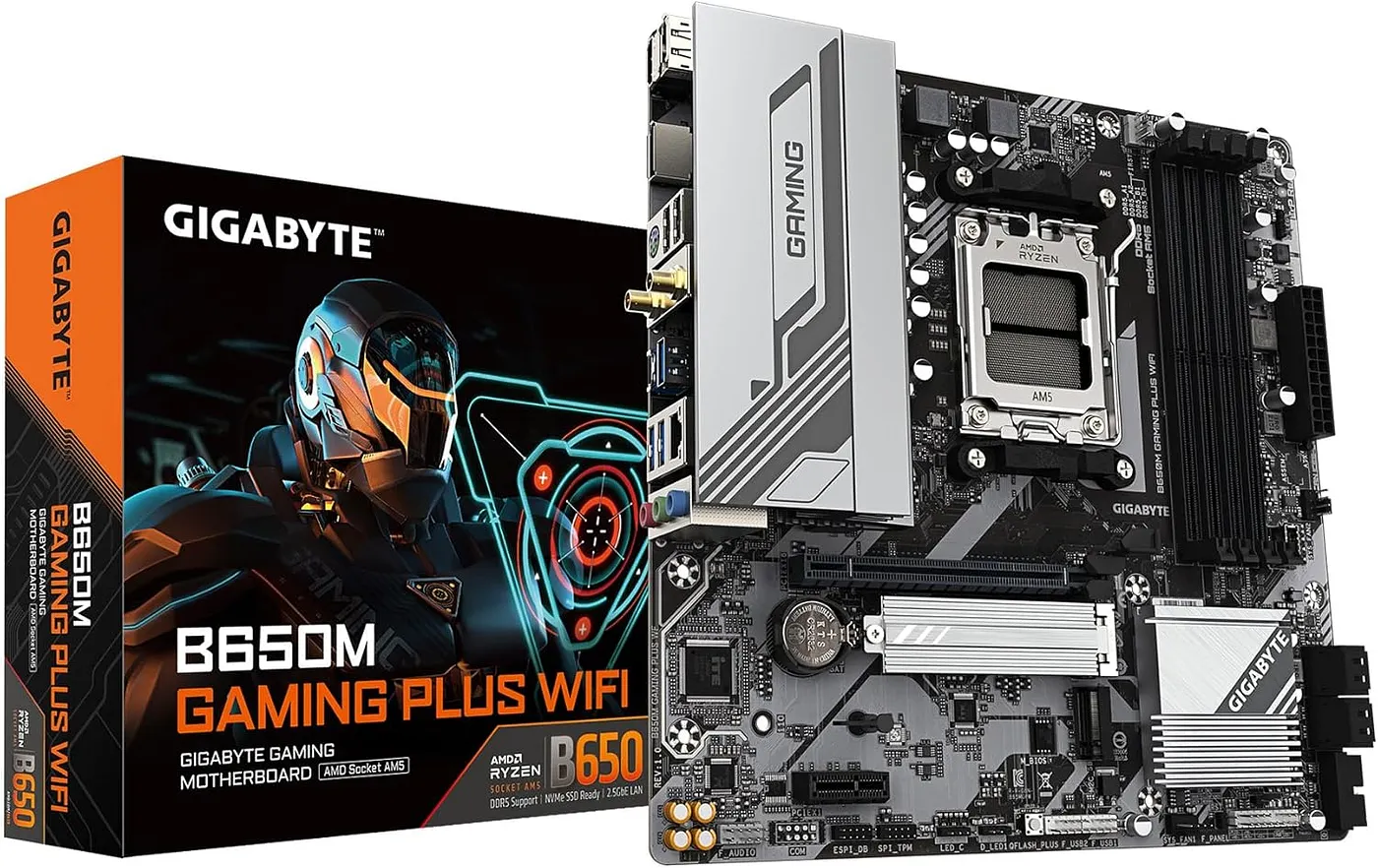
Gigabyte B650M Motherboard with Wifi6E
Rounding out the platform is a Gigabyte B650M Gaming Plus WiFi motherboard, a Micro-ATX AM5 board with built-in Wi-Fi 6E, running about $110 on Amazon. Feel free to substitute for any micro-ATX board with AM5 compatibility and built-in Wi-Fi. Memory is a TeamGroup T-Force Vulcan kit — 16GB across two 8GB sticks of DDR5–6000, true dual-channel from the start — priced around $205 with an active Newegg promo code. That number looks high for 16GB of RAM, and it is: DDR5 pricing has been unusually inflated through 2026 because of the same AI-driven memory shortage Valve cited for its own price increase. It hits every desktop build right now, DIY or pre-built. Storage is a 512GB ADATA Legend 710 NVMe SSD, matching the Steam Machine’s base storage tier exactly, for about $85.
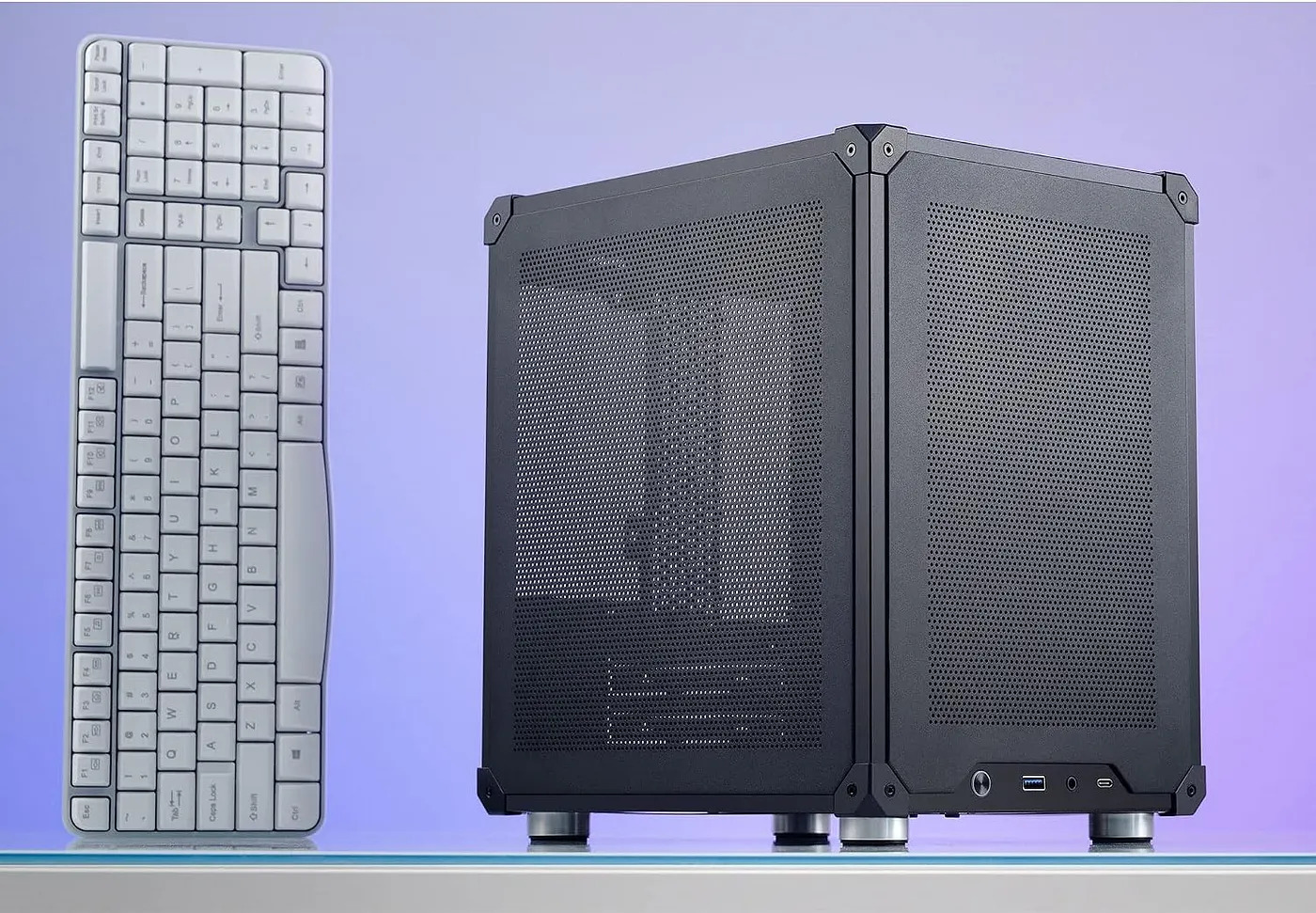
The Jonsbo C6 Case with keyboard for Scale — Image from Amazon
For the enclosure, a Jonsbo C6 Micro-ATX mesh cube keeps the footprint small and the airflow open, and it runs about $60 at Newegg or Amazon. That case caps CPU cooler height at 75 millimeters, which rules out most tower coolers, so the build uses a Scythe Big Shuriken 4 low-profile cooler at 67mm tall that slots neatly underneath a standard ATX power supply, priced around $40 to $45. Here’s a pro-tip: anyone who wants extra thermal headroom and quieter fan noise can drop into the motherboard’s BIOS and enable AMD’s Eco Mode, which caps the chip at 65 watts in exchange for a small, usually unnoticeable dip in gaming frame rates. Power comes from a Corsair CX650M semi-modular 650-watt supply, around $80, which leaves comfortable headroom for the GPU’s power spikes under load without any bulk the case can’t handle.
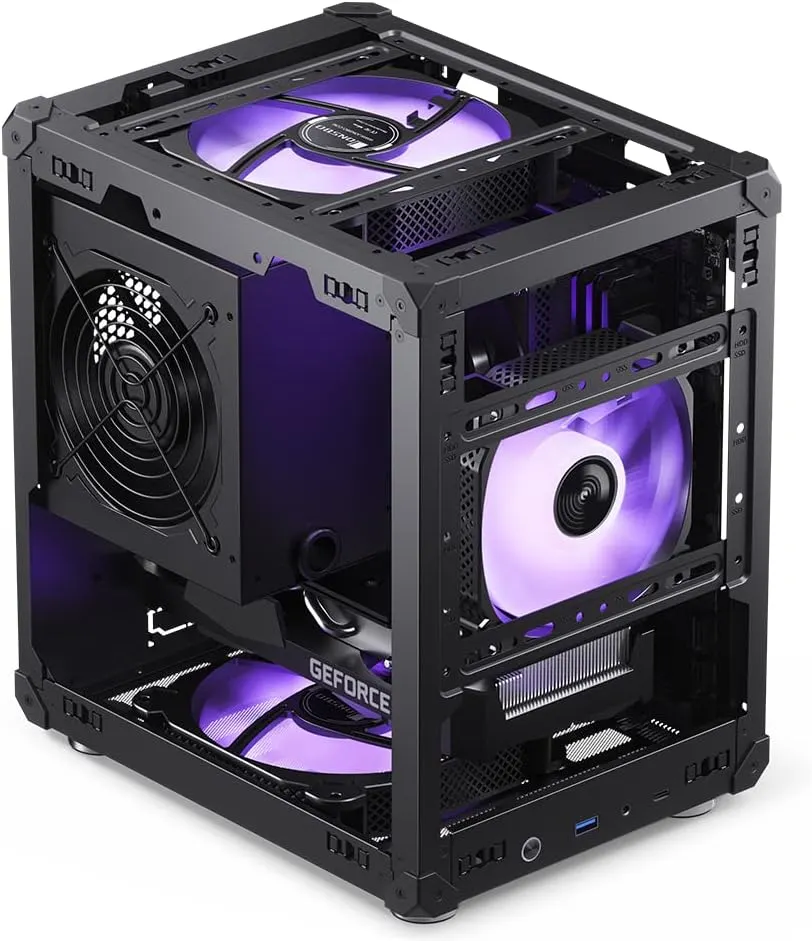
The Jonsbo Case assembled with mesh panels removed — Image from Amazon
Add it up — CPU, motherboard, RAM, storage, GPU, case, cooler, and power supply — and the total lands right around $1,040, just under Valve’s $1,049 base price, while matching the Steam Machine’s core specification and beating it on compute unit count, sustained clock speeds, and upgrade headroom. It also sidesteps the memory lottery outright: every desktop motherboard in this class ships with two DIMM slots that both get filled on day one, so there’s no single-channel unit to end up with and no heatsink to remove later just to add a second stick. Every one of these parts is available today at Newegg, Amazon, or Best Buy under the model names above; prices on DRAM and NAND flash in particular are moving quickly in the current market, so it’s worth a quick price check before ordering rather than assuming last week’s number holds.
Storage is easy to scale up the same way Valve does it. Swapping the 512GB ADATA drive for a 2TB Legend 710, which runs around $190, brings the total to roughly $1,150 — still meaningfully under Valve’s $1,349 price for the 2TB Steam Machine.
The Controller Question
Valve bundles its redesigned Steam Controller for those who want it, and it’s a genuinely good pad — full trackpads, back grip buttons, and gyro support baked into SteamOS’s Steam Input system. But nothing about this build locks anyone into it. An Xbox or PlayStation controller pairs over Bluetooth or a USB dongle and works immediately in Steam’s Big Picture interface, with the same controller-remapping tools SteamOS uses for any gamepad. A wireless keyboard and mouse combo covers strategy games, PC ports with fiddly menus, or just browsing the web from the couch. Arcade-style stick controllers or racing wheels and pedals plug in over USB and are picked up the same way a game cabinet would recognize them. The living room PC doesn’t care what’s plugged into it — that’s the whole point of it being a PC.
The Groundbreaking Part: An Operating System That Can’t Break Itself
The single most important piece of engineering behind both the Steam Machine and this DIY build isn’t the silicon — it’s the operating system underneath it. SteamOS, and its popular community cousin Bazzite, both use what’s called an immutable filesystem, and understanding why that matters is the difference between a living room PC that feels like a console and one that feels like a Tuesday-afternoon Windows update.
On a traditional Linux or Windows installation, the operating system’s core files sit on the same writable disk as everything else. Install a package, update a driver, or let an automatic update run at the wrong moment, and there’s a real chance something breaks — a missing dependency, a corrupted config file, a system that won’t boot. An immutable OS flips that model. The base system lives as a single, read-only image. Updates don’t patch files in place; they download a complete new image, verify it, and swap it in atomically — the update either fully lands or it fully doesn’t, with no in-between state where the system is half-updated and unstable. If something does go wrong, the previous image is still sitting right there to boot back into.
That single design choice is what makes a console-like experience possible on general PC hardware. Nobody wants to troubleshoot a broken driver on a machine that’s supposed to just turn on and play games. Because the base system can’t be casually broken, SteamOS and Bazzite can behave the way a PlayStation or Xbox behaves: it turns on, it works, and updates happen quietly in the background without ever leaving the machine in a worse state than before.
SteamOS is Valve’s own build, based on Arch Linux, and it’s what ships on the Steam Deck and the Steam Machine itself. As of mid-2026 it officially supports AMD and Intel graphics on desktop hardware through its 3.8 branch, but Nvidia support is still in development with Valve and isn’t production-ready yet — a real consideration for anyone whose graphics card isn’t AMD. Bazzite, built by the Universal Blue project on top of Fedora’s atomic image system, follows the same immutable philosophy but casts a wider net: it ships day-one support for both AMD and Nvidia GPUs, offers both a game-focused interface and a full KDE Plasma or GNOME desktop, and updates on its own weekly cadence with the latest Proton compatibility layer baked in. For an AMD-based build like the one above, either operating system works well; Bazzite’s broader hardware support and more frequent updates make it the more common pick for a from-scratch PC build outside Valve’s own hardware.
Waking It Up Like a Console
One detail that trips up a lot of first-time console-replacement builders is the power button — or rather, the lack of one that matters. A real console wakes up the instant a controller button is pressed. A desktop motherboard, by default, does not.
Getting close to that behavior takes two settings, both handled once during setup and then forgotten. First, in the motherboard’s BIOS, look for an option called something like “Wake from USB” or “USB Wake Support,” and make sure it’s enabled — alongside that, disable any “ErP” or “EuP” power-saving mode, since those options cut power to USB ports entirely during sleep and prevent a wireless receiver from ever seeing a wake signal. Second, on Bazzite or SteamOS, a short one-time command tells the specific USB port the controller’s wireless receiver is plugged into to treat any signal on that port as a wake event. From that point on, the system wakes from sleep the moment the controller sends an input — the same instant-on feeling as picking up a console controller.
It’s worth being precise about what this does and doesn’t cover. It reliably wakes a system from sleep, which is where a media PC should be living most of the time anyway rather than fully powered off. Waking a completely shut-down system from a cold boot with a controller button is a much harder trick that isn’t reliably supported across motherboards, so the practical setup is to let the machine sleep rather than shut down between sessions, exactly the way a Steam Deck or console does.
The Four Configurations
Mapped against Valve’s four Steam Machine tiers, the Nexus Cube build comes out ahead on price at every level while matching or exceeding the underlying spec. The base configuration — Ryzen 5 7600X, RX 7600 8GB, 16GB of dual-channel DDR5, 512GB of NVMe storage, in the Jonsbo C6 cube — lands around $1,040, versus Valve’s $1,049 for the same storage tier. Add a controller of choice and the build stays well under Valve’s $1,128 bundle price, especially since an Xbox or PlayStation pad typically costs less than Valve’s own Steam Controller. Stepping up to 2TB of storage brings the DIY total to roughly $1,150, against Valve’s $1,349 for the same capacity, and the 2TB-plus-controller comparison follows the same pattern, still landing a meaningful amount below Valve’s $1,428.
The Steam Machine wins on convenience — it arrives assembled, pre-configured, and backed by Valve’s own support and verification program for game compatibility. What the Nexus Cube offers instead is a fully open desktop architecture: every part is a standard, swappable, individually replaceable component, from the RAM slots to the M.2 storage bay to the GPU itself, running the same free operating systems Valve builds its own hardware around.
This piece is independent and unsponsored. Valve and none of the component brands, retailers, or marketplaces named here — AMD, Gigabyte, TeamGroup, ADATA, XFX, Jonsbo, Corsair, Newegg, Amazon, or Best Buy — had any involvement in it. It’s written for tinkerers who want to weigh a DIY, SteamOS-or-Bazzite living room build against Valve’s own hardware and decide which approach fits their budget and comfort with a screwdriver.
Sources: Valve Steam Machine official specifications and pricing (Engadget, PC Gamer, VideoCardz, PC Guide, Notebookcheck, June 2026); single- vs. dual-channel memory reporting and benchmarks (Tom’s Hardware, TweakTown, OC3D, Digital Foundry/Gamers Nexus coverage via Notebookcheck and TweakTown, June 2026); AMD Ryzen 5 7600X and Radeon RX 7600 product listings (Newegg, Amazon, Tom’s Hardware); ASRock B650M Pro RS WiFi, TeamGroup T-Force Vulcan DDR5, ADATA Legend 710, Jonsbo C6, Corsair CX650M, and be quiet! Pure Rock LP product listings (Newegg, Amazon, TweakTown, Tom’s Hardware, be quiet! press materials); SteamOS and Bazzite documentation (Valve, Universal Blue/Bazzite project, Wikipedia); controller wake-from-sleep configuration (Long Play Tech, Bazzite documentation).