Your data never leaves the building and your CFO never sees a token bill.

Full AI Functionality with no Internet Connection Really Works!
There is a specific moment that turns a small business into a local-AI buyer. Usually it’s a lawyer pasting a deposition into a chatbot. Sometimes it’s a contract clause about CUI that nobody read until the auditor arrived. Occasionally it’s just the invoice — the one where inference spend quietly outgrew the team’s cloud hosting bill.
Whatever triggers it, the conclusion is the same: the model needs to run on hardware you own.
Three years ago that meant a tower, two used 3090s, and a colleague who enjoys suffering. In 2026 it means a laptop, and there are exactly three architectures worth your purchase order. They are not interchangeable. Each one is the obviously correct answer for one kind of buyer and a genuinely bad purchase for the other two.
One warning before the recommendations, because it reframes everything below. The memory market has been on fire for most of 2026. DRAM contract prices have climbed quarter over quarter all year, suppliers have redirected wafer capacity to AI servers, and analysts don’t expect relief before 2028. Apple roughly doubled the price of its 64 GB and 128 GB memory upgrades this year. Mini-PC vendors have watched identical SKUs gain 50% or more. Every machine in this article is memory-heavy by definition, which means every machine in this article is a victim.
Treat every price here as a September 2026 estimate with a short shelf life. Get a quote. Then get it again next month, because it will be different.
How to actually judge these machines
Ignore TOPS. Ignore the marketing. Three numbers decide whether a local AI laptop works for you, in this order:
1. How much memory the accelerator can actually address. A model that doesn’t fit doesn’t run — or worse, it half-runs, spilling into system RAM and dragging generation to a crawl while everyone concludes local AI is a toy. This is the ceiling, and it’s the number that splits our three contenders apart.
2. Memory bandwidth. Token generation is memory-bandwidth-bound, full stop. Every token requires reading the active weights out of memory. Bandwidth, not FLOPS, sets your tokens per second.
3. Whether your stack runs on it without a heroics budget. CUDA is CUDA. Metal and MLX are excellent and exclusively Apple. AMD’s ROCm and Vulkan path on Linux is genuinely good in 2026 and genuinely still has sharp edges. Be honest about which of these your team can support at 4 p.m. on a Friday.
1. The Speed Pick: RTX 5090 Laptop (24 GB GDDR7)
Lenovo Legion 9i Gen 10 (18") or ASUS ROG Strix SCAR 18 (2026)
- Intel Core Ultra 9
- RTX 5090 24GB Laptop GPU
- 32GB RAM, 2TB NVME SSD
- Estimated cost: $4,500 to start with this config
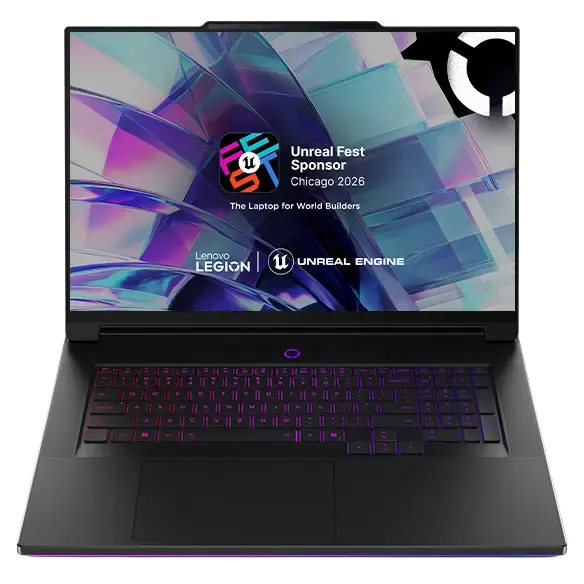
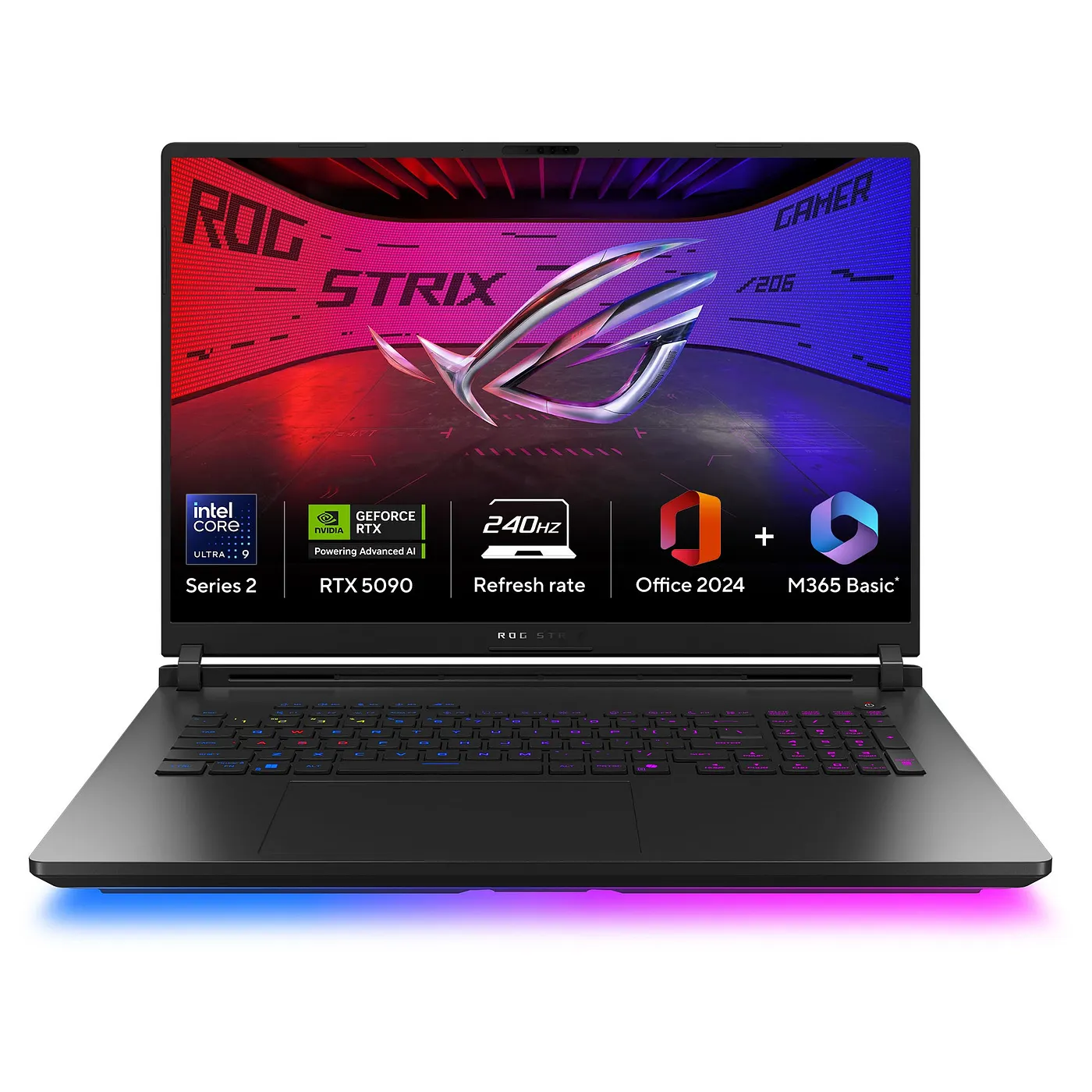
For procurement departments that flinch at RGB and Gamer Aesthetic:
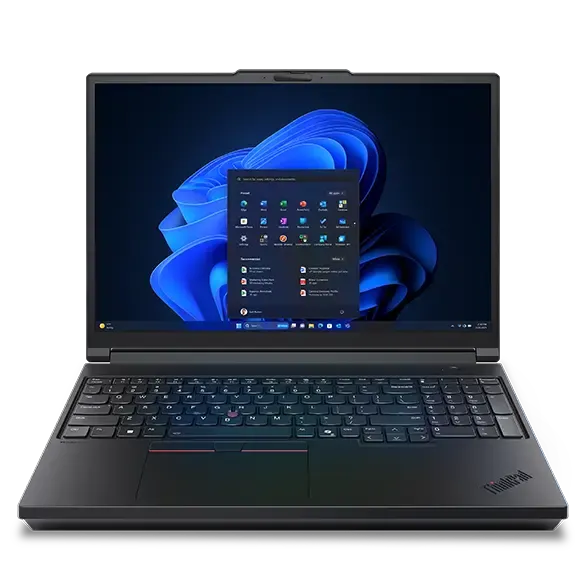
Lenovo ThinkPad P16 Gen 3 with the RTX PRO 5000 Blackwell Laptop GPU — the same 24 GB of GPU VRAM, but ECC GDDR7, ISV certifications, vPro, and a business service contract. Expect $8,000 and up for this configuration.
What you’re buying
Twenty-four gigabytes of GDDR7 running at 896 GB/s, which is roughly 55% more bandwidth than the previous mobile generation. That bandwidth is the entire argument. On a 32B-class model at Q4 — qwen2.5-coder:32b, deepseek-r1:32b, the models that are the functional floor for real code refactoring and agentic loops — you get somewhere in the neighborhood of 35–45 tokens per second.
That’s faster than you read. More to the point, it’s fast enough that a CLI agent chewing through a twelve-step task doesn’t feel like a batch job. If your workflow is “the model edits code while I watch,” this machine is the only one of the three that makes it feel live.
Plus: CUDA. Every quantization tool, every fine-tuning script, every half-finished GitHub project written in the last decade assumes CUDA. The ecosystem tax you pay for the other two options is real even when it’s small.
The wall
24 GB is the hard mobile ceiling and it is not moving. Blackwell’s mobile dies are constrained to a 256-bit bus in a 175 W package. The desktop workstation cards reach 96 GB; laptops do not. And the RTX 50 Super refresh that was supposed to push 3 GB GDDR7 modules further down the stack has slipped repeatedly — the current expectation is CES 2027, and even then it’s the desktop 5070 Ti and 5080 getting the 24 GB treatment, not a new mobile ceiling.
So the 70B question has a fixed answer. A dense 70B at 4-bit needs roughly 40 GB before a single token of context. To run it on this machine you offload half the transformer layers to DDR5, which moves at 80–90 GB/s across the bus instead of 896. The GPU spends most of its cycles waiting. You’ll see 5–8 tok/s. Technically it runs. Nobody will use it twice.
Buy it if
Your pipeline is CUDA-only, your models are 32B and under, and latency is the thing people complain about. Coding assistants, agentic tooling, anything where a human is watching the cursor.
2. The Capacity Pick: MacBook Pro 16" with M5 Max (128 GB)
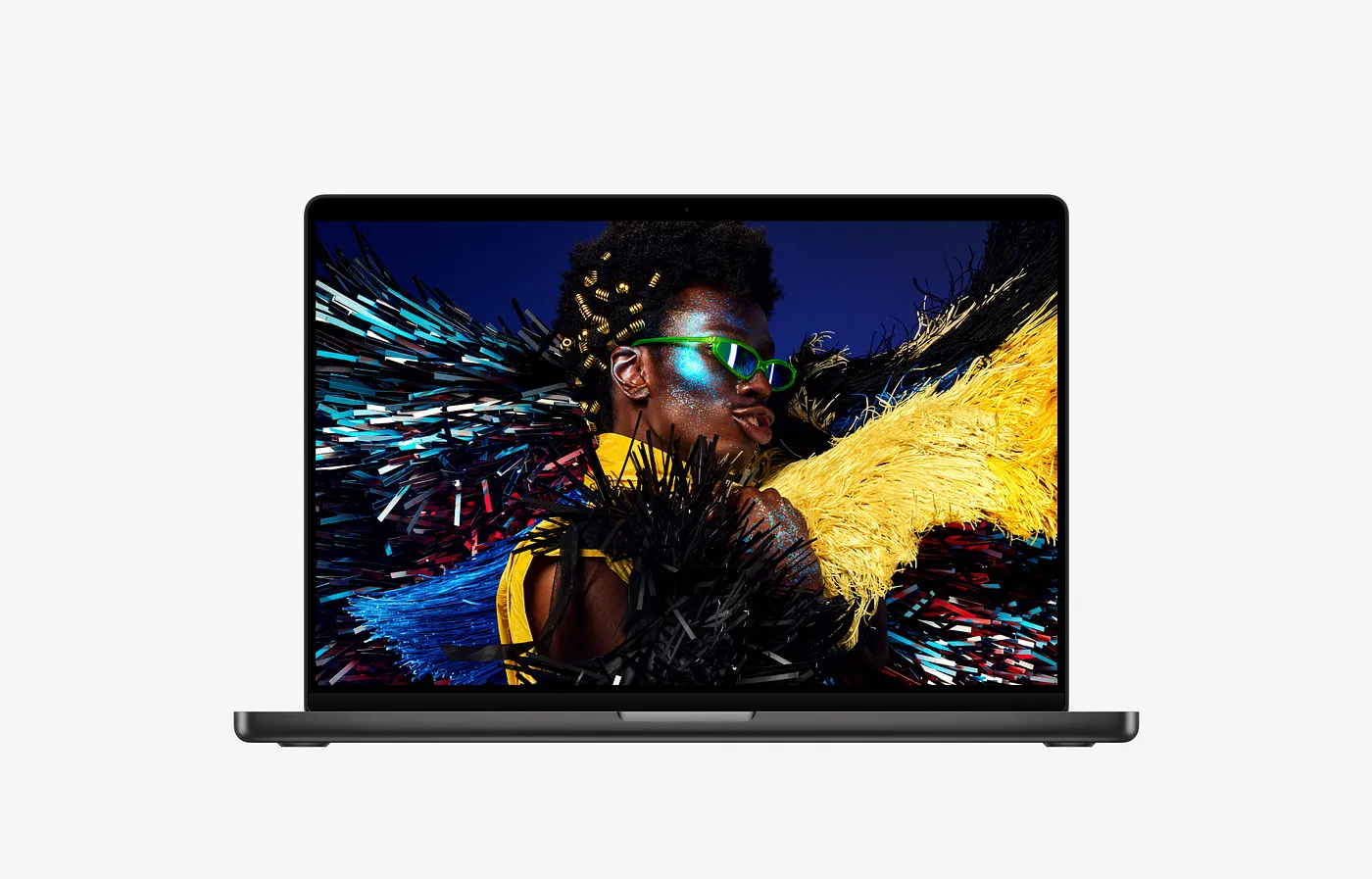
Apple MacBook Pro 16", M5 Max
- 40-core GPU
- 128 GB unified memory
- 2TB NVME SSD
- Estimated: estimated $7,000 as configured
What you’re buying
Apple shipped the M5 Pro and M5 Max in March 2026, and for local inference it was a more consequential release than the spec bump suggests. The M5 Max carries up to 128 GB of unified memory at 614 GB/s — up from the M4 Max’s 546 — and, more importantly, puts a Neural Accelerator in every one of its 40 GPU cores.
That second change targets prefill. Apple claims up to 4× faster LLM prompt processing versus the M4 generation. Prefill was historically the Mac’s embarrassment: generation was respectable, but pasting a 30,000-token codebase meant staring at a spinner. If the claim holds up under independent testing — and early third-party reports are directionally supportive — the biggest practical objection to Apple Silicon for RAG and long-context work just got much smaller.
Generation speed improved more modestly, in line with the bandwidth increase. Published figures for dense 70B at Q4 range widely depending on who ran the test and with what runtime; treat the honest range as roughly 10–20 tok/s and be suspicious of anyone quoting a single confident number. It’s reading speed, not agent speed.
What you get in exchange is everything fitting. 70B at higher precision, 120B-class MoE models, 64k+ context windows — on battery, silently, drawing well under 100 W.
The traps
Check the GPU core count, not the chip name. The entry 14" M5 Max ships a binned 32-core GPU with roughly 460 GB/s of bandwidth. That’s a meaningfully slower machine than the 40-core part at 614 GB/s, and it carries the same chip name. Someone reaching for “the cheap M5 Max” will pay flagship money for materially fewer tokens per second.
The memory upgrade is where the money went. Apple doubled 64 GB and 128 GB upgrade pricing in 2026. A fully loaded 16" now reaches five figures. 128 GB is the only reason to buy this machine for AI, and 128 GB is the expensive part.
It’s macOS. For a design studio or a consultancy already on Macs with MDM in place, that’s a feature. For a defense subcontractor with a Windows-only compliance baseline, it’s a non-starter.
Buy it if
You need the largest models that fit in a laptop, you work with long documents, your team is already Apple-managed, and you’d rather have capacity and silence than raw speed.
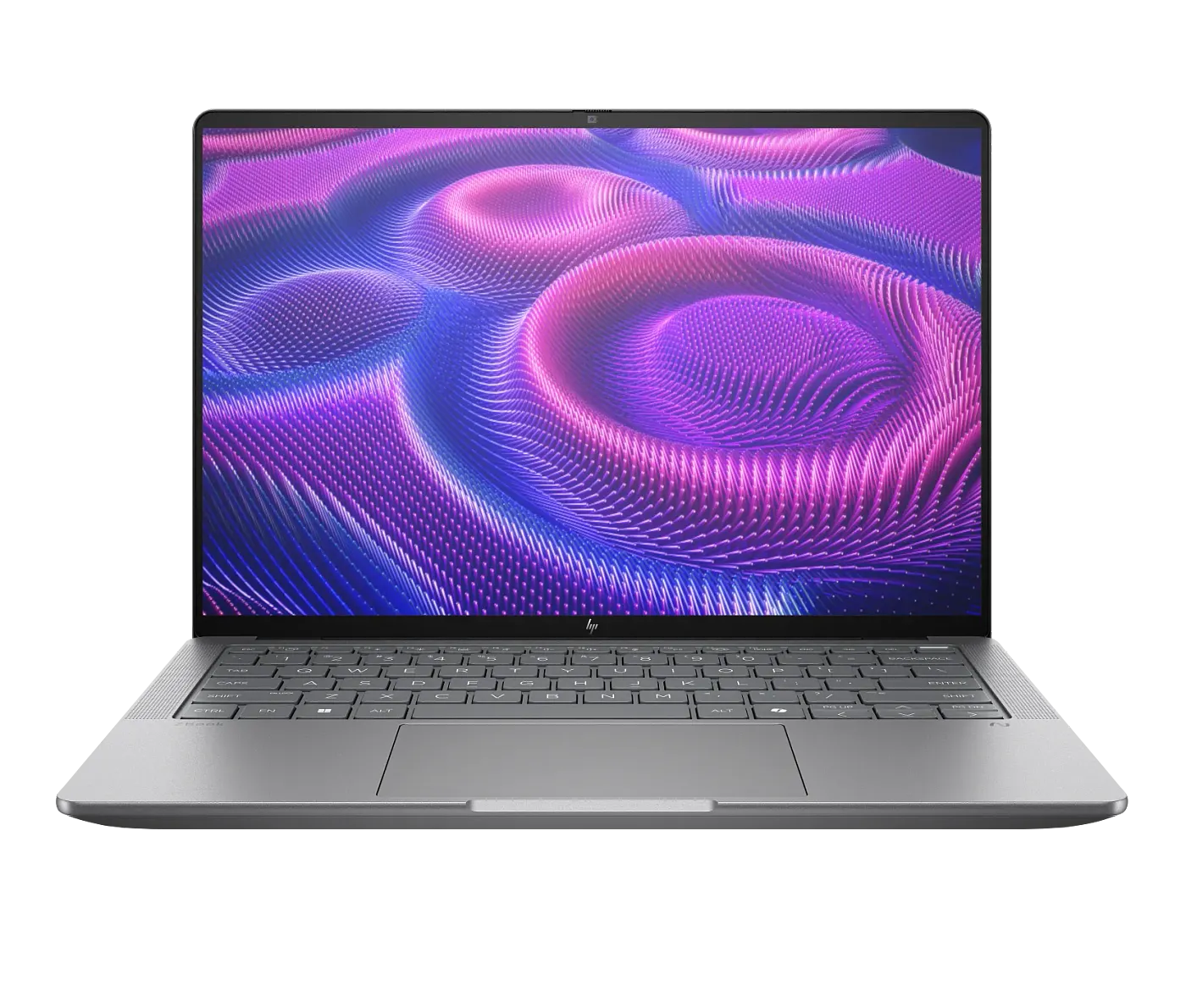
3. The Sovereignty Pick: HP ZBook Ultra G1a (Ryzen AI Max+ PRO 395, 128 GB)
HP ZBook Ultra G1a 14"
- AMD Ryzen AI Max+ PRO 395
- 128 GB unified LPDDR5X (up to 96 GB assignable to the GPU)
- 2TB NVME SSD
- From $4,500
What you’re buying
Strix Halo is AMD taking Apple’s homework and shipping it on x86: 16 Zen 5 cores, a 40-CU Radeon 8060S iGPU, a ~50 TOPS XDNA 2 NPU, and up to 128 GB of unified LPDDR5X at roughly 256 GB/s — of which up to 96 GB can be handed directly to the GPU.
Less bandwidth than the M5 Max, and it shows: expect roughly 8–12 tok/s on a dense 70B at Q4. That’s the slowest headline number in this article.
It is also, for a lot of buyers, the right machine anyway, for one reason: this is the only one of the three that runs a normal Linux you fully control, on x86, with 96 GB of GPU-addressable memory. No macOS, no Apple ecosystem dependency, no 24 GB ceiling. If your organization’s requirement is “we must be able to audit, image, and lock down the entire software stack ourselves,” this is the shortlist and the shortlist has one item.
Well, the shortlist has one other item. It is from HPE so it presents as enterprise-friendly as well with no RGB or gamer vibes.
AMD’s Lemonade server uses the NPU for prompt processing while the iGPU handles generation, roughly halving time-to-first-token on this silicon. It’s also worth knowing the Linux/RADV Vulkan path measures roughly 20–30% faster than the Windows path for inference on this hardware, which is an unusual thing to be able to say about a business laptop.
The traps
It’s a 14-inch chassis, so it may run hot. Sustained inference is a thermal event. Verify sustained clocks under a long generation run, not a benchmark burst.
The flagship silicon hasn’t moved. CES 2026 added the Ryzen AI Max+ 392 and 388 — lower core counts that keep the full 40-CU iGPU, plus reportedly faster LPDDR5X-8533 — but the AI Max+ 395 shown here is unchanged and there’s no successor announced. There’s no strong reason to wait, and no reason to expect a discount either.
The Linux path rewards competence and punishes improvisation. Kernel version, firmware build, ROCm version, and Vulkan driver have to be validated together as a matched set. This is a real, ongoing job, not a one-afternoon setup.
Buy it if
You need large-model capacity, you need x86 and Linux, and you need to own the whole stack. Regulated industries, sovereignty requirements, anyone building on top of the platform rather than just using it.
The plot twist nobody updated their spreadsheet for: MoE
Most local-AI buying advice, including the dense-70B framing that dominated 2025, is now partially obsolete.
A mixture-of-experts model activates only a fraction of its parameters per token. Because generation is bandwidth-bound, that changes the arithmetic completely. A 120B-class MoE streams far less data per token than a dense 70B — which is why Strix Halo, a machine that crawls through dense Llama 70B at around 10 tok/s, handles a 120B MoE at roughly 30–35 tok/s. On the M5 Max, MoE models are widely reported as the sweet spot for exactly the same reason.
The implication for a buyer is direct: the unified-memory machines look considerably better in 2026 than a dense-70B benchmark suggests, and the gap widens as MoE architectures become the default. Capacity lets you hold the model; sparsity means you don’t pay full bandwidth to run it. The 24 GB Blackwell laptop can’t participate in this at all — a 120B MoE doesn’t fit regardless of how few parameters it activates.
The uncomfortable procurement question
Before you sign a PO for any of these: does it actually need to be a laptop?
Because if the honest answer is “it needs to be on our premises and under our control,” a desk-bound machine gets you dramatically more capability per dollar. Strix Halo mini PCs with 128 GB have been running roughly $2,300–3,300 — and a Mac Studio with M5 Max starts at $2,499, with the new units shipping September 22. Either can be reached from thin clients over the LAN, keeps its thermal headroom, and doesn’t get left in an airport.
The laptop premium is real and in 2026 it’s steep. Pay it when mobility is genuinely a requirement — client sites, field work, airplane-mode confidentiality, a founder who works everywhere. Don’t pay it because a laptop is the default thing you buy.
Other things to put in the evaluation:
- Warranty and service tier. A consumer gaming laptop and an HPE or ThinkPad P16 carry very different support contracts. When the machine running your practice’s document analysis dies, the difference is the whole ballgame. This alone can justify the workstation-SKU premium over the gaming-SKU savings.
- The TCO story is real but do the arithmetic. Local inference beats API spend above some monthly token volume — commonly cited breakevens land in the millions-of-tokens-per-month range. Below that threshold, you’re buying privacy and offline capability, not savings. Both are legitimate reasons. Just don’t tell your board it’s about cost if it isn’t.
- The claim you can pass to your clients. “Your files never leave our office” is a differentiator a law firm, clinic, or agency can market. It’s frequently worth more than the compute.
- Somebody owns this. Local inference stacks drift. Drivers update, models get superseded, a firmware release breaks the GPU path. Budget for the support person as well, not just the box.
The Verdict — Three Top Choices
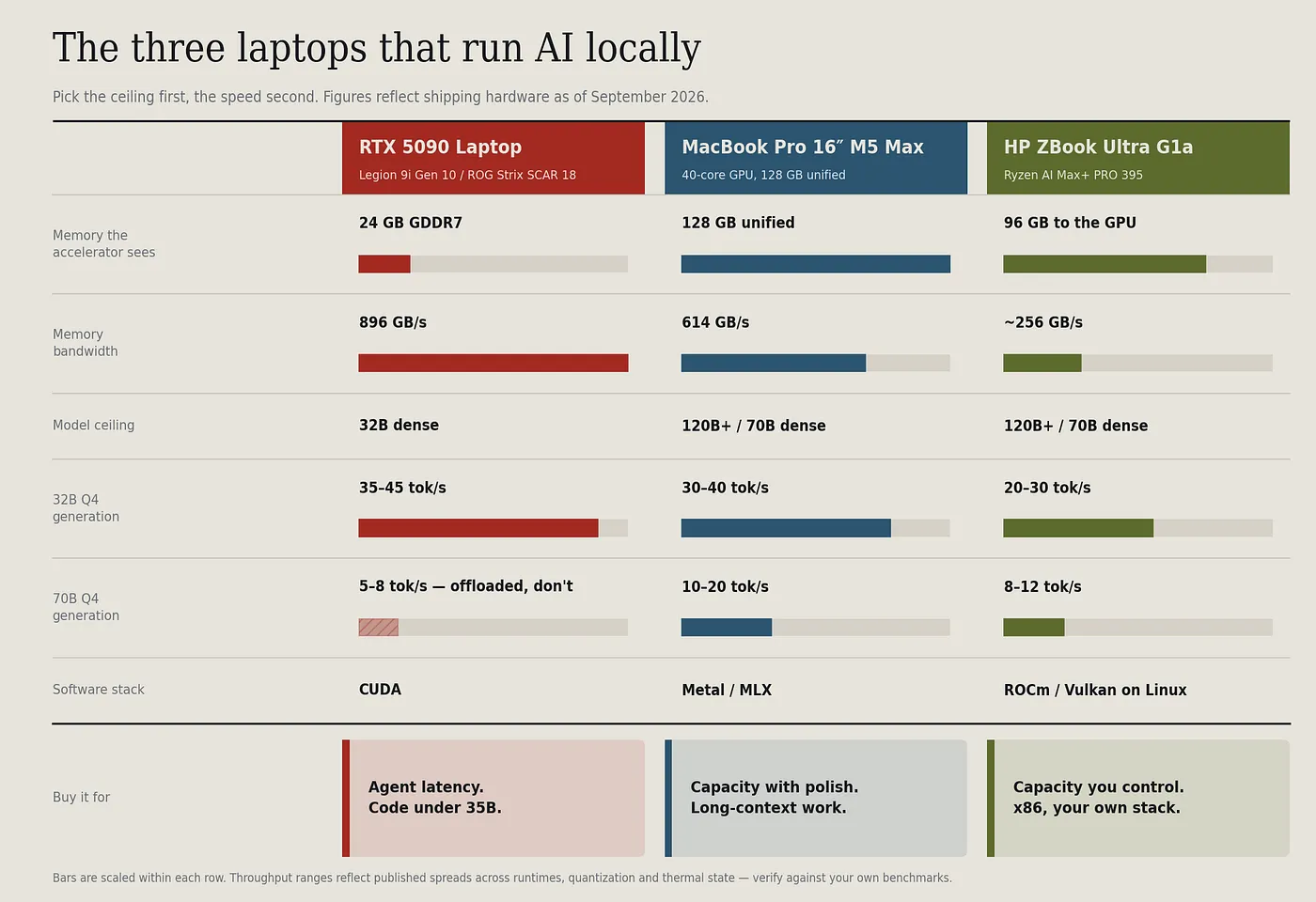
If your work is code and the model is under 35B: RTX 5090 laptop. The bandwidth advantage is decisive and CUDA maturity is worth money. Take the ThinkPad P16 Gen 3 variant if procurement needs a service contract.
If you need big models and you’re already an Apple shop: MacBook Pro 16" M5 Max, 40-core GPU, 128 GB. The March 2026 prefill improvements fixed the one thing that made long-context work painful on a Mac. Check the GPU core count.
If you need big models, x86, Linux, and full control of the stack: ZBook Ultra G1a. It’s the slowest of the three and it’s the only one that meets that requirement set. For a regulated business, that requirement set is usually non-negotiable. If you need to run large models or MoE, its still faster than the 5090 with its limited VRAM.
And if none of it has to leave the building — consider the mini-pc options (Strix Halo and DGX Spark) as they might save you some money.
Prices and performance figures are September 2026 estimates. Component pricing has moved repeatedly throughout the year and published tokens-per-second figures vary considerably by runtime, quantization, and thermal state; the ranges above reflect that spread rather than papering over it. Verify against live quotes and your own benchmarks before purchase.